MENU INPUT SALDO AWAL DI SATSETBOS
Posted on 2025-07-31Membuat Saldo Awal
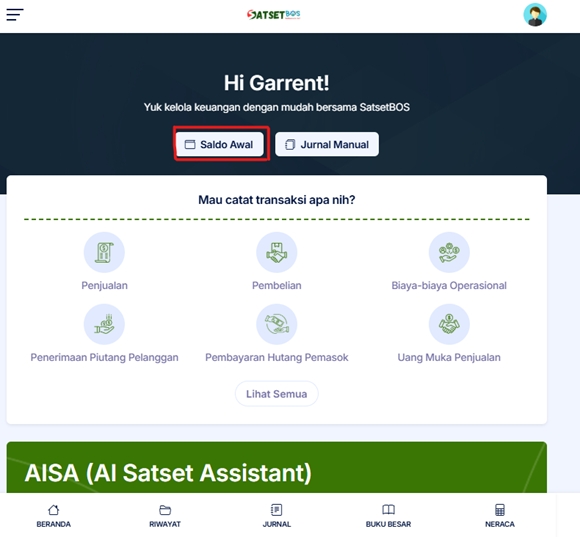
- Setelah masuk ke dalam SatSetBos muncul tampilan seperti ini. Lalu anda klik Saldo Awal.
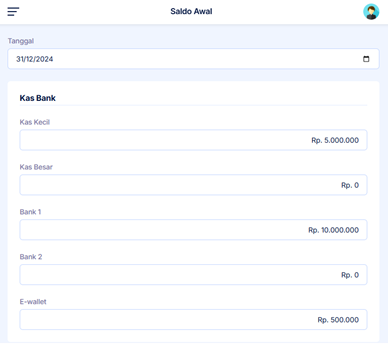
- Setelah muncul tampilan seperti dibawah, disini anda harus mengisi Tanggal transaksi, Nominal Saldo Awal Per Akun (COA). Nanti anda bisa di scroll paling bawah untuk akun (COA).
- Setelah mengisi Tanggal transaksi dan Saldo Awal Per Akun (COA), selanjutkan klik Simpan.
Found this article helpful?
[ 1 Out of 2 Found Helpful ]